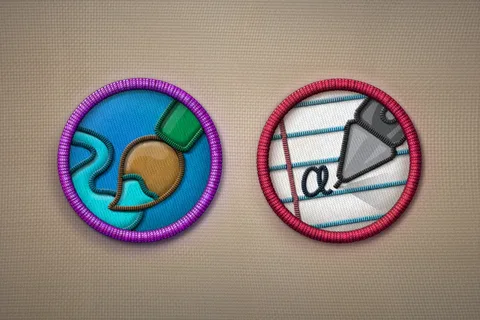
Badges have always been a simple way to show identity, achievement, or belonging — from classroom reward stickers to employee ID tags and scout activity badges. For anyone who needs a quick, low-cost solution, a free printable badge template is often the first stop. These templates let you design, customize, and print badges at home or at the office without hiring a designer or paying for expensive software.
This guide breaks down everything you need to know about printable badge designs: where the concept works best, how to create one, and when it makes sense to move from paper to a more durable, professional option like an embroidered or custom patch.
What Is a Printable Badge Template?
A printable badge design is a pre-made file — usually in PDF, Word, Canva, or PNG format — that includes placeholder text, shapes, and graphics for a badge. Users simply download it, add their own text or logo, and print it on cardstock, sticker paper, or badge blanks.
These templates are popular for:
- School reward and achievement badges
- Scout and youth group activity badges
- Employee or visitor name badges
- Event and conference credentials
- DIY birthday party or classroom activities
- Volunteer and community recognition badges
Because they’re free and instantly downloadable, printable badge designs are ideal for one-time events, low-budget projects, or anyone testing a design before committing to a bulk order.
Why People Search for Free Badge Templates
There are a few common reasons people look specifically for free designs rather than paying for custom design work:
- Budget constraints – Schools, nonprofits, and small clubs often need badges without spending money on graphic design.
- Speed – A ready-made template can be finished and printed within minutes, which is useful for last-minute events.
- Simplicity – Many templates come with drag-and-drop editors, so no design experience is required.
- Testing a concept – Businesses sometimes print a badge design first to see how it looks before ordering a professional, embroidered version in bulk.
Where to Find Free Badge Designs
Several tools and platforms offer free badge template libraries:
- Canva – Offers hundreds of customizable badge designs with drag-and-drop editing and free export options.
- Microsoft Word/PowerPoint – Built-in badge and label templates that can be resized and edited easily.
- Google Slides – Free community-made designs that work well for schools and small teams.
- Printable template sites – Many craft and education blogs host free downloadable badge files in PDF format.
When choosing a platform, look for templates that allow easy resizing, editable text fields, and print-ready file formats (PDF is usually the safest choice for accurate printing).
How to Design Your Own Badge Template
If none of the ready-made options fit your needs, creating a custom badge design from scratch is straightforward:
1. Choose your badge shape. Circles, shields, and ribbons are the most common shapes for achievement or identity badges.
2. Pick your dimensions. Standard badge sizes range from 2 to 3 inches in diameter for classroom or event badges, and 3×4 inches for name badges.
3. Add your text and logo. Keep the main title short and bold so it’s readable from a distance.
4. Select colors that reflect the purpose. Bright colors work well for kids’ achievement badges, while muted or brand-color palettes suit corporate name badges.
5. Export as a print-ready PDF. This avoids formatting issues when printing on different devices or paper types.
6. Print on the right material. Cardstock, sticker paper, or badge blanks with pin backs all work depending on how the badge will be used.
Printable vs. Physical: Understanding the Limits
Printable badge designs are a great starting point, but paper and sticker badges have limitations:
- They wear out quickly with regular use or washing.
- They don’t hold up outdoors or in uniforms.
- They can look less professional for organizations, teams, or businesses that want a lasting brand impression.
This is why many schools, clubs, businesses, and uniformed groups eventually move from printed designs to embroidered or custom patches — especially once a design has been finalized and tested. A printed template is perfect for prototyping, but a stitched or PVC patch is what gives a badge long-term durability, texture, and a premium look on jackets, backpacks, vests, or uniforms.
For groups that want to take their design from paper to something permanent, working with an established custom patch maker is a natural next step. The team at Rush Patch specializes in turning simple badge designs into embroidered, woven, PVC, leather, or chenille patches — offering options like no-minimum orders and digital proofing so you can go from concept to finished product without the guesswork. You can browse more design guides and patch ideas on the Rush Patch blog as well.
Tips for a Smooth Transition from Printable to Custom Patch
If you’re planning to eventually upgrade your paper design into a real patch, keep these tips in mind:
- Design with future production in mind. Avoid overly thin lines or tiny text that won’t translate well to embroidery or PVC.
- Save your design in a high-resolution, vector-friendly format so a patch manufacturer can easily convert it.
- Test your color scheme. Thread and PVC colors sometimes differ slightly from screen colors, so requesting a digital proof helps avoid surprises.
- Decide on backing type early — iron-on, sew-on, Velcro, or pin — based on how the badge will be worn or displayed.
Frequently Asked Questions
Are printable badge designs good enough for permanent use? They work well for short-term or low-frequency use, such as one-day events or classroom activities. For daily wear or long-term branding, a stitched or PVC patch will last much longer.
Can I convert my printed badge design into an embroidered patch? Yes. Most custom patch companies can take a printed or digital design and recreate it in embroidery, woven, or PVC format, often with free digital proofing before production.
What file format is best for printing badge templates? PDF is generally the safest option since it preserves layout and print dimensions across devices and printers.
Conclusion
A printable badge design is a fast, low-cost way to produce badges for schools, events, teams, or small businesses. It’s an excellent starting point for testing ideas, running short-term events, or working within a tight budget. But for badges meant to last — on uniforms, jackets, or gear — upgrading to a professionally made embroidered or custom patch is usually worth the investment. Starting with a solid printable design and finishing with a trusted patch maker like Rush Patch gives you the best of both worlds: quick prototyping and a durable final product.
