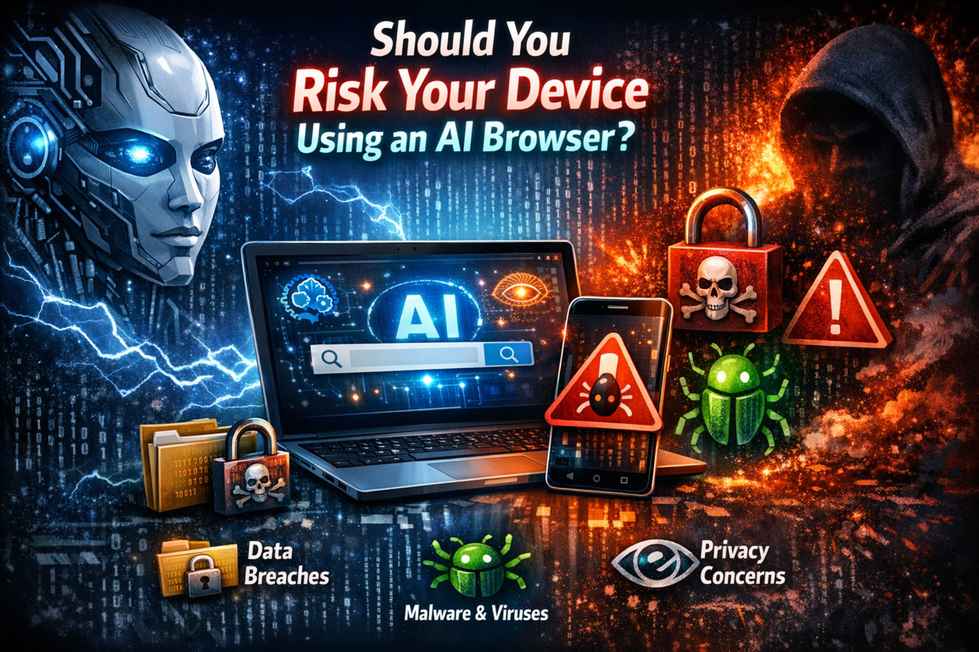
Every time you download software, you take a risk. But AI browsers represent something different—a risk category that many users don’t fully understand. You’re not just installing a tool. You’re inviting an intelligent agent into your digital life, giving it access to your activities, your data, and potentially your device’s deepest systems.
The question isn’t whether AI browsers have benefits. They do—genuine, substantial, productivity-transforming benefits. The question is whether those benefits are worth the specific risks they introduce. And whether you can even accurately assess those risks with the information available.
I’ve analyzed cybersecurity trends for years, and I’ve watched the AI browser landscape evolve from experimental to mainstream. What I’ve learned is that “safe” and “unsafe” aren’t binary states here. They’re calculations—complex personal equations involving your assets, your threat model, your technical skills, and your tolerance for uncertainty.
This article won’t give you a simple yes or no. It will give you the framework to make that decision yourself, honestly and informedly. Because ultimately, the risk is yours to take or decline.
The Upside: Why Users Take the Risk
Understanding the benefits is essential to weighing them against dangers.
Genuine Productivity Transformation
AI browsers deliver measurable efficiency gains. Research that took hours completes in minutes. Complex information becomes accessible through conversational queries. Writing, coding, and analysis tasks streamline dramatically. For knowledge workers, students, and professionals, these advantages translate to real competitive benefits.
The intelligence isn’t superficial. It genuinely augments human capabilities in ways that feel transformative. This isn’t marketing hype—it’s experiential reality for millions of users.
The Competitive Pressure to Adopt
In professional environments, AI tool adoption increasingly separates high performers from those falling behind. Colleagues complete research faster. Competitors analyze markets more thoroughly. Students produce better work more efficiently. The pressure to match these capabilities is intense and justified.
Falling behind isn’t abstract. It affects career trajectories, academic success, and business outcomes. The risk of not adopting feels as significant as the risk of adopting.
Fear of Missing Out on the Future
Beyond immediate productivity, users worry about technological literacy. AI integration is clearly the future of computing. Early adoption builds skills and familiarity that may prove essential. Waiting risks permanent catch-up mode in a rapidly evolving landscape.
This fear isn’t irrational. Technological transitions favor early movers. The risk of future irrelevance weighs heavily in adoption decisions.
The Downside: What You’re Actually Risking
Benefits are real. So are dangers.
Device Compromise Scenarios
AI browsers have suffered documented remote code execution vulnerabilities. Attackers can exploit AI processing pipelines to install malware, establish persistent access, and control compromised devices. Unlike traditional malware, these exploits often bypass detection because they operate through legitimate browser functions.
Your device—personal computer, work laptop, phone—becomes an attacker’s asset. They can monitor activities, capture credentials, access files, and pivot to other systems. The compromise may remain undetected for months because it looks like normal AI browser operation.
Data Exposure and Theft
AI browsers collect and transmit extensive data: browsing history, conversation content, personal interests, professional activities, medical research, financial questions. This data flows to multiple corporate systems, often with unclear retention, sharing, and protection practices.
Exposure ranges from embarrassing personal information to devastating professional secrets. Data theft through AI browser compromise has affected journalists, executives, researchers, and everyday users. The scope of potential exposure exceeds what most users imagine.
Financial and Identity Consequences
Compromised AI browsers enable direct financial theft. Attackers manipulate AI recommendations to direct users to fraudulent investment platforms, fake banking sites, or malicious payment processors. The AI’s authority makes these scams extraordinarily effective.
Identity theft through harvested data enables long-term fraud, credit damage, and reputation destruction. Recovery is slow, expensive, and often incomplete. The financial risk extends far beyond immediate theft to encompass years of consequences.
Privacy Erosion That’s Hard to Reverse
Data shared with AI browsers cannot truly be retracted. Training data retention, model influences, and corporate databases persist even after user deletion requests. Privacy choices made today echo forward indefinitely, affecting future opportunities, relationships, and security.
The erosion is incremental and invisible. Users don’t notice gradual exposure until significant harm occurs. By then, reversal is impossible.
Understanding the Risk Categories
Specific dangers require specific understanding.
Technical Vulnerabilities
Documented flaws include remote code execution, prompt injection attacks, data exposure bugs, and privilege escalation vulnerabilities. These aren’t theoretical—they’ve been discovered, exploited, and patched in production AI browsers. New vulnerabilities emerge regularly as the attack surface expands.
The technical risk is active, growing, and inadequately addressed by current security practices.
Architectural Weaknesses
AI browsers combine complex subsystems: AI models, cloud processing, traditional browsing, third-party integrations. Each combination point creates unpredicted vulnerabilities. The architectures are too new for comprehensive security hardening.
Closed-source implementations prevent independent verification. Cloud dependencies create inherent exposure. The fundamental designs prioritize capability over protection, baking risk into the foundation.
Trust Exploitation Risks
AI browsers ask for extraordinary trust—and attackers exploit this. Users follow AI recommendations more readily than human advice. Automation bias causes over-reliance on intelligent systems. The authority transfer from human judgment to AI assistance creates manipulation opportunities that traditional scams cannot match.
The psychological risk is as significant as the technical. Users compromise themselves through trust they shouldn’t grant.
The APK Download Gamble
Let me illustrate how these risks converge in a concrete decision. Imagine you’re considering download APK for a productivity app. Your AI browser recommends “FileMaster Pro” based on your stated needs. The AI summarizes the download site as “legitimate and secure with excellent user reviews.”
You face a gamble. Trust the AI and download—accepting risk that the recommendation might be manipulated, the site compromised, the APK infected. Or reject the AI’s advice, verify independently, and potentially miss a genuinely helpful tool.
Here’s what you cannot see. A hacker has compromised the website and planted a secret payload in the download mechanism. They’ve spent months poisoning the data ecosystem—fake reviews, manipulated ratings, SEO-optimized content designed to train AI systems to favor their malicious app. The AI’s confident recommendation reflects this manipulation, not objective analysis.
If you trust the AI, you install malware that captures credentials, exfiltrates data through your browser’s cloud connections, and manipulates future AI responses to hide its presence. Your device is compromised, your data stolen, your security destroyed—because you took a gamble on AI trust that seemed reasonable but was engineered to exploit you.
If you reject the AI and verify independently, you discover the manipulation, avoid compromise, but lose time and convenience. You also correctly assess that your AI browser created risk rather than reducing it.
This gamble—trust AI assistance or protect yourself through skepticism—recurs constantly in AI browser usage. Every recommendation, every summary, every “helpful” suggestion carries similar hidden risks. The question isn’t whether you’ll face this gamble. It’s whether you’ll recognize it and how you’ll decide.
Evaluating Your Personal Risk Tolerance
The risk calculation is deeply personal.
Assessing Your Threat Model
Who might target you? What do you possess that’s valuable? State-sponsored actors, criminal organizations, competitors, or personal enemies—different threats require different protections. High-profile individuals face greater targeting. Anonymous users face more random, less sophisticated attacks.
Your threat model shapes appropriate caution. Over-protection wastes resources. Under-protection invites catastrophe. Honest assessment is essential.
Valuing Your Digital Assets
What would compromise cost you? Irreplaceable personal photos? Proprietary business information? Access to financial accounts? Professional reputation? Relationships? Some assets are valuable but recoverable. Others are priceless and vulnerable.
The value of what you protect should inform the risks you accept. High-value assets warrant conservative protection. Lower-value activities might justify experimentation.
Understanding Your Recovery Capacity
If compromised, can you recover? Technical skills, financial resources, professional support, and personal resilience determine recovery capacity. Some users can rebuild from total compromise. Others face permanent damage from minor breaches.
Those with limited recovery capacity should accept less risk. Those with robust resources might tolerate more exposure.
The Browser-Specific Risk Spectrum
Not all AI browsers carry equal risk.
Lower-Risk Options (Brave, Safari)
Brave with Leo offers on-device processing by default, open-source transparency, and explicit no-retention policies. Safari with Apple Intelligence leverages hardware security and local processing. These options sacrifice some capability for genuine protection. The risk reduction is substantial for modest convenience cost.
Moderate-Risk Options (Edge, Opera)
Microsoft Edge with Copilot provides powerful features through established infrastructure with extensive security resources. Opera’s Aria balances capability with reasonable practices. These options carry more risk than privacy-focused alternatives but benefit from organizational accountability and incident response capability.
Higher-Risk Options (New Entrants, Unproven Vendors)
New AI browsers from startups or unestablished companies present the greatest risk. Limited security track records, closed-source implementations, aggressive data collection, and unproven incident response create uncertainty that cautious users should avoid. The innovation premium isn’t worth the security cost for most users.
Real Cases: When the Risk Became Reality
Theory becomes concrete through examples.
Documented Security Incidents
Perplexity’s Comet browser suffered a critical remote code execution vulnerability allowing attackers to compromise systems through AI processing. Other AI browsers have faced prompt injection exploits, data exposure incidents, and manipulation attacks. The pattern is clear and growing.
User Experiences of Compromise
Users report discovering unauthorized account access, fraudulent transactions, and identity theft months after AI browser adoption. The compromise often went undetected because it operated through legitimate browser functions. Recovery required extensive effort, expense, and permanent security practice changes.
The True Cost of Convenience
The productivity gains proved temporary and replaceable. The security consequences persisted for years. Users consistently report that the convenience wasn’t worth the compromise—after experiencing both.
Risk Mitigation: Can You Make It Safe Enough?
Partial protection is possible but limited.
Configuration Strategies
Disable cloud processing where possible. Restrict permissions aggressively. Enable maximum privacy settings. Use isolated profiles for different activities. These steps reduce risk but cannot eliminate fundamental architectural vulnerabilities.
Behavioral Adaptations
Never trust AI recommendations for security-sensitive decisions. Verify independently. Compartmentalize sensitive activities to non-AI browsers. Monitor network traffic. These habits help but require constant vigilance that most users cannot sustain.
The Limits of Harm Reduction
Configuration and behavior can reduce risk but not to acceptable levels for sensitive activities. The architectural risks—closed-source code, cloud dependencies, AI manipulation—persist regardless of user precautions. For high-stakes usage, harm reduction is insufficient.
Who Should Definitely Not Risk It
Certain users face unacceptable exposure.
High-Stakes User Profiles
Journalists protecting sources, activists in hostile environments, executives with access to valuable information, and individuals in sensitive legal situations should avoid AI browsers entirely. The targeting risk, data exposure, and manipulation potential exceed any productivity benefit.
Sensitive Data Handlers
Anyone regularly accessing medical records, financial systems, confidential research, or personal communications of others should not use AI browsers. Professional ethics and legal obligations prohibit the exposure these tools create.
Compliance and Professional Constraints
Users in regulated industries—healthcare, finance, legal, government—often face explicit prohibitions on AI tools. Professional liability, regulatory compliance, and organizational policy may make AI browser usage a career-ending violation.
Who Might Consider Careful Risk-Taking
Some users can justify limited adoption.
Isolated Use Cases
Users with dedicated devices for specific purposes, no sensitive data exposure, and tolerance for potential compromise might experiment. General research, content consumption, and non-critical productivity tasks present lower risk than integrated daily usage.
Technical Sophistication Factors
Users who can configure security settings effectively, monitor network traffic, detect anomalous behavior, and recover from compromise have more risk management capacity. Technical skills enable safer experimentation—but skills don’t eliminate fundamental risks.
Compartmentalization Possibilities
Users who can strictly separate AI browser activities from sensitive operations, maintaining entirely separate devices or environments, might limit exposure. This requires discipline and resources that most users lack.
The Alternative: Waiting and Watching
Delay offers advantages.
What You Gain by Delaying
Security architectures mature. Regulatory frameworks clarify. Independent verification becomes available. Incident response track records develop. Early adopters identify problems that later users avoid. The risk profile improves with time.
What You Might Miss
Productivity advantages accrue to early adopters. Competitive positioning strengthens. Skill development progresses. Technological familiarity deepens. The opportunity cost of waiting is real and measurable.
The Opportunity Cost Calculation
For most users, the productivity gains are incremental and replaceable through other tools. The security risks are substantial and potentially catastrophic. The opportunity cost of waiting is modest compared to the risk cost of early adoption.
Making Your Decision: A Risk Framework
Honest questions lead to good decisions.
The Decision Matrix
| Factor | Low Risk Tolerance | High Risk Tolerance |
|---|---|---|
| Threat model | Minimal targeting | Significant targeting |
| Asset value | Irreplaceable, high value | Replaceable, modest value |
| Recovery capacity | Limited resources | Robust resources |
| Technical skills | Basic | Advanced |
| Professional constraints | Strict compliance | Flexible environment |
| Alternative tools available | Yes | No |
High risk tolerance across multiple factors might justify adoption. Low risk tolerance suggests waiting.
Questions to Answer Honestly
-
What would total compromise cost me?
-
Can I recover if my AI browser is exploited?
-
Am I targeted by sophisticated actors?
-
Do I handle others’ sensitive data?
-
Can I maintain constant security vigilance?
-
Are alternatives available for my needs?
Red Lines That Shouldn’t Be Crossed
Never use AI browsers for banking, medical access, confidential work, or others’ personal information. AI advice should never be trusted without independent confirmation. AI browsers should never be installed without a backup on devices that hold valuable data. These red lines protect against catastrophic outcomes regardless of other risk calculations.
Conclusion
Should you risk your device using an AI browser? For most users, most of the time, the answer is no—not yet. The benefits are real but incremental. The risks are substantial and inadequately addressed. The risk-reward calculation favors caution.
Frequently Asked Questions (FAQs)
Is there any AI browser that’s completely safe to use?
No AI browser is completely safe. Some are safer than others—Brave with Leo and Safari with Apple Intelligence offer lower risk through on-device processing and transparent practices. But all AI browsers introduce risks that traditional browsers avoid. Safety is relative, not absolute.
Can I use AI browsers safely if I’m just a regular person with nothing to hide?
“Nothing to hide” is a dangerous misconception. Everyone has financial accounts, identity documents, personal relationships, and activities that could be exploited. Regular users face automated attacks, identity theft, and financial fraud—not just targeted surveillance. The risk isn’t about having secrets; it’s about having assets worth stealing.
How long should I wait before considering AI browser adoption?
Wait for: comprehensive independent security audits of major options, clear regulatory frameworks with enforcement history, established incident response track records, on-device processing becoming standard, and your personal risk tolerance assessment indicating readiness. For most users, this likely means 12-24 months minimum.
What if my employer or school requires AI browser usage?
Request security review and written authorization. Use only for required activities on dedicated devices or profiles. Maintain strict compartmentalization from personal activities. Document your concerns for liability protection. Consider whether the requirement is legitimate or whether alternatives exist.