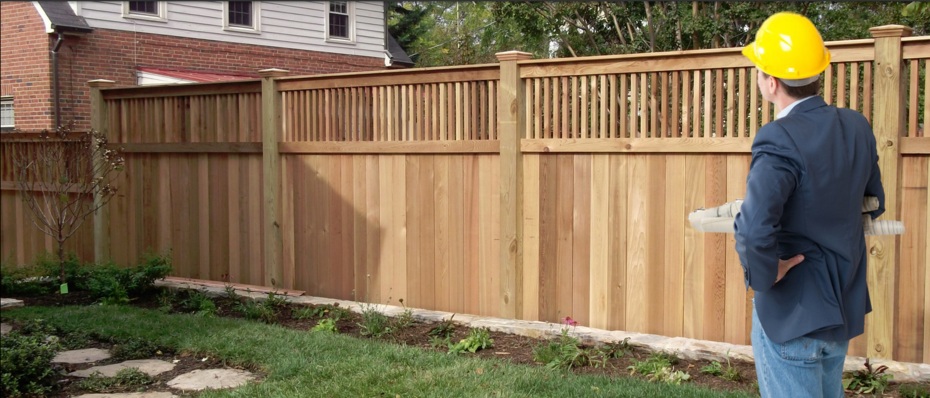
A landscaping company in Fishers gets a call from a customer who says the “Request a Quote” button does nothing. The owner clicks it. Nothing. Checks the contact form. Dead. Turns out it quietly broke after a plugin update back in March. Four months of leads, gone, and nobody noticed because nobody was checking.
That’s the usual story behind a call to a website maintenance agency Indiana businesses hire. Not a dramatic crash. A slow leak. Here are ten signs the leak has started.
1. The Site Loads Slowly
Three seconds feels like forever online. Bloated images, old plugins, and cheap hosting add up. Visitors don’t wait. They hit back and click a competitor. Slow speed also hurts Google rankings, so the damage shows up twice.

2. Forms or Buttons Stop Working
This one’s sneaky. Everything looks fine, but the contact form sends nothing. Test every form monthly. Better yet, let someone else test them.
3. Security Warnings Appear
A “Not Secure” label in the browser, an expired SSL certificate, or a hosting company email about malware. Any of these means act now. Visitors who see a warning rarely come back.
4. Software Updates Keep Getting Ignored
WordPress, themes, and plugins release updates mostly for security fixes. Skipping them is like leaving a back door unlocked because nobody has used it lately. Hackers scan for outdated versions on purpose.
5. Broken Links and Missing Images Show Up
Click through the site like a customer. Dead links, 404 pages, and empty image boxes make a business look abandoned, even if the shop is busy. Small flaws, big trust cost.
6. The Site Looks Wrong on Phones
Most visitors browse on a phone. Tiny text, overlapping buttons, and sideways scrolling lose people in seconds. Sites that were fine two years ago can break after browser updates.
7. Rankings or Traffic Quietly Drop
Check Google Analytics. A steady slide over several months usually points to speed issues, broken pages, or outdated content. Waiting rarely fixes it. It usually gets worse.
8. Content Is Out of Date
Old hours. A staff member who left two years ago. Last year’s pricing. Ever notice how one wrong detail makes the whole site feel untrustworthy? Fresh, accurate content matters as much as design.
9. No Recent Backup Exists
If the site got hacked tomorrow, how long would recovery take? If nobody can answer, that’s the sign. Automatic daily or weekly backups, stored off the server, turn a disaster into an annoying afternoon.
10. Nobody Knows Who Is Responsible
The original developer moved on. Login details live in one old email. Nobody is sure who owns the domain. This is the quietest sign and the most dangerous, because every other problem on this list grows when no one owns the site.
When Maintenance Isn’t Enough
Sometimes the problems go deeper. An outdated platform, a clunky structure, or missing features can’t be patched forever. At that point, businesses often talk to an Indianapolis web development company about a rebuild. A good partner will say honestly whether maintenance or a redesign makes more sense, instead of selling the bigger project by default.

Check Before It Costs You
Open the site on a phone tonight. Submit your own contact form. Click five random links. Five minutes can reveal problems that have been costing leads for months. A monthly maintenance plan is usually cheaper than a single lost client, and far cheaper than a hacked site.