Introduction
A warning device may be small compared with the equipment it monitors, but it still needs correct selection, installation, and testing. If the device is difficult to hear, hidden from view, or connected to an incompatible circuit, it may not deliver the warning function intended by the panel designer.
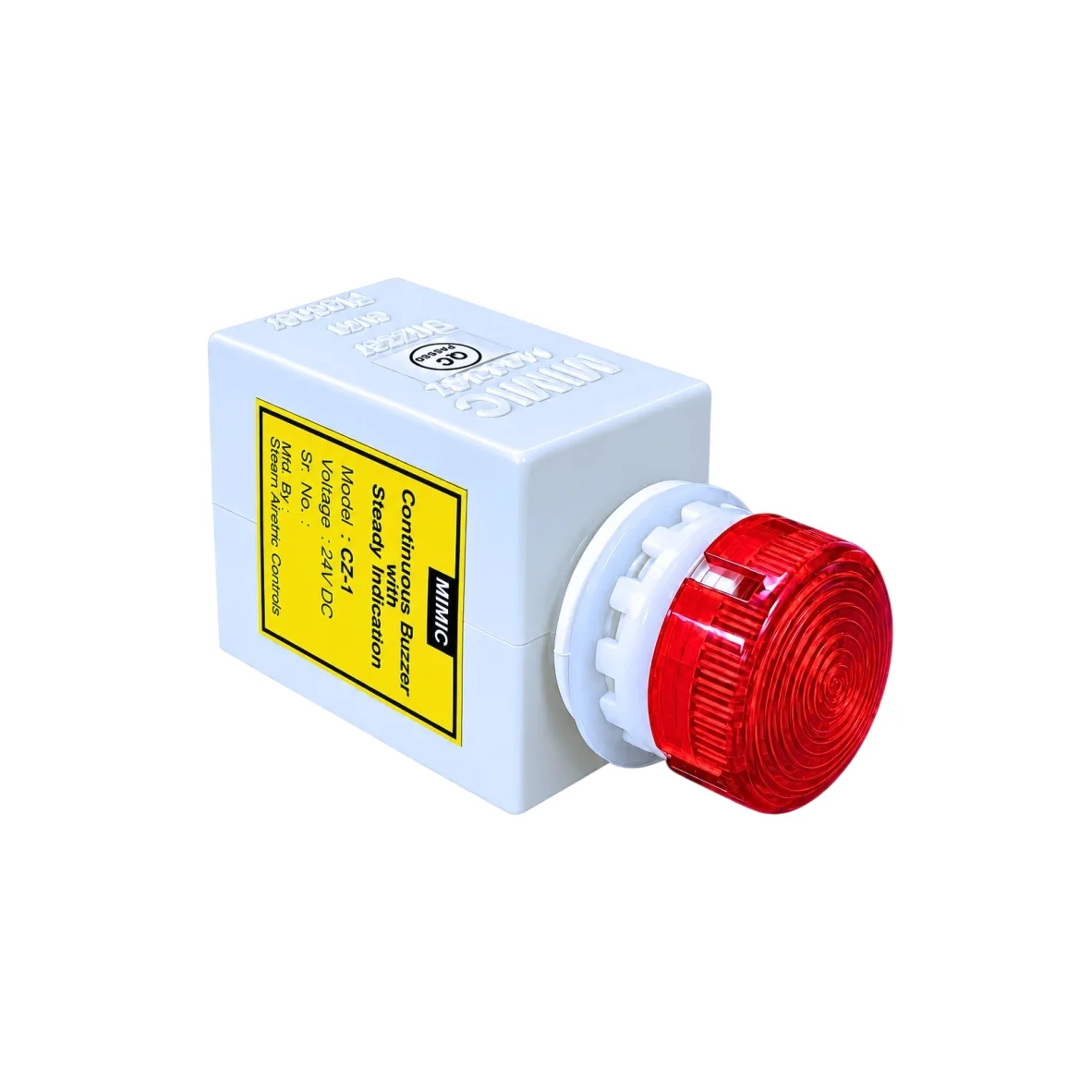
A buzzer cum flasher combines audible and flashing visual signals in one assembly. It is used in various electrical and industrial applications to attract attention when a connected control circuit activates it. For panel technicians, the main task is to ensure that the selected model suits the electrical supply, fits the panel, and operates reliably as part of the complete system.
Review the Technical Details Before Installation
Before installing a buzzer cum flasher, check the manufacturer’s technical information and the panel drawings. Confirm the exact model, supply voltage, mounting dimensions, terminal identification, and environmental rating.

The supply may be AC or DC, depending on the selected product. These ratings must not be confused. A device designed for a specific AC supply should not be connected to a DC circuit simply because the voltage appears similar. Likewise, check polarity where the manufacturer specifies it for a DC model.
Review the product’s operating instructions for any duty-cycle limits or other restrictions. If information is missing or unclear, obtain clarification from the supplier rather than guessing.
Confirm the Panel Cut-Out and Clearance
Panel-mounted warning devices require suitable physical space. The mounting opening must match the specified dimensions, and the body must fit behind the panel without obstructing nearby components.
Check the following before drilling or modifying a panel:
- Correct cut-out size and shape
- Panel thickness compatibility
- Clearance behind the mounting surface
- Space for terminals and wire bends
- Access for tightening and inspection
- Visibility from the normal operator position
A device that fits the front of the panel may still cause problems if its rear body interferes with wiring ducts, relays, terminal blocks, or other equipment. Confirm the layout before final assembly.
Follow Electrical Safety Procedures
Installation and maintenance should be performed by suitably qualified personnel under the site’s electrical safety procedures. Before working on wiring, isolate the relevant supply, apply the required lockout or tagging process, and verify the absence of voltage using an appropriate method.
Never rely only on a control switch or software command to establish that a circuit is safe to work on. Follow the facility’s isolation requirements and applicable electrical regulations.
Use conductors, protective devices, and wiring methods appropriate to the circuit design. Confirm that terminal connections are secure and that exposed conductors cannot contact neighbouring terminals or conductive surfaces. Do not exceed the manufacturer’s terminal or conductor specifications.
Connect the Device According to the Circuit Design
A buzzer cum flasher operates when the relevant electrical input is applied according to its design. The control circuit might use a relay contact, a controller output, or another switching arrangement. The exact wiring depends on the product and the application.
Check the wiring diagram before making connections. Verify the supply terminals and control path, and make sure the upstream switching component is rated for the connected load. If an interface relay is required, select one that is appropriate for the electrical characteristics of the circuit.
Avoid making assumptions based on wire colour alone. Follow the documented terminal identification and site wiring standards. Label the circuit so that future maintenance personnel can understand the device’s purpose and source of activation.
Choose a Suitable Mounting Position
Placement affects whether the warning can be noticed. The flashing light should remain visible from the positions where operators normally work, and the sound should be sufficiently audible under typical operating conditions.
Avoid mounting the device behind a door, inside an enclosed cabinet where the signal cannot be perceived, or in a location where nearby equipment blocks the light. If the panel is installed in a noisy environment, evaluate whether the buzzer can be heard at the required distance.
Where several warning devices are used, make sure their signals and labels are distinguishable. The warning should have a defined meaning, and operators should know where to find information about the condition that activated it.
Testing After Installation
Once installation is complete, testing should follow the approved commissioning procedure. Confirm that the correct control signal activates the device and that both the audible and visual outputs operate as specified.
The test should also confirm the expected behaviour when the signal clears or the circuit is reset. If the system requires acknowledgement or latching, verify that this function is handled by the intended control logic.
Record the test result in the commissioning or maintenance documentation. Where alarms are linked to critical operations, testing should be coordinated to avoid misleading operators or interrupting a process unexpectedly.
Troubleshooting Common Problems
The device does not activate
Possible causes include a missing supply, an inactive control signal, incorrect wiring, a faulty connection, or a failed device. Check the circuit against the wiring diagram and follow safe diagnostic procedures. Do not replace the unit before confirming that the required input is present.
The sound works but the light does not
If only one output operates, check the product instructions and wiring arrangement. The cause may be related to the device itself, its connection, or a specific operating condition. Isolate the circuit before inspecting connections.
The warning is difficult to notice
Review the mounting position, surrounding noise, viewing angle, and ambient light. A device may operate correctly but still be poorly positioned for the intended purpose. If the output is inadequate for the environment, review the specification and consider a more suitable warning arrangement.
The device activates unexpectedly
Investigate the control logic and the signal that energises the warning circuit. Possible causes may include an incorrect control condition, a wiring error, or a repeated input. Do not simply disconnect an unwanted warning without identifying why it activates.
Routine Maintenance Checklist
Maintenance should be based on the manufacturer’s instructions and the operating conditions. A practical inspection may include:
- Checking the housing and mounting for damage or looseness.
- Inspecting accessible wiring and terminals for signs of deterioration.
- Confirming that the audible signal is clear enough for its intended location.
- Checking the flashing light for consistent operation.
- Reviewing labels and circuit documentation.
- Recording faults and corrective actions.
- Replacing a damaged or unreliable unit with a compatible model.
Do not open or modify a sealed device unless the manufacturer permits it. If replacement is necessary, confirm the voltage, dimensions, mounting style, and environmental suitability of the new unit.
Environmental Protection and Service Life
Industrial panels may experience dust, moisture, vibration, heat, and exposure to oils or cleaning agents. Check the product’s ingress protection rating and the conditions under which that rating applies. Protection ratings have defined limits and do not automatically establish suitability for immersion, corrosive environments, or hazardous areas.
Environmental suitability should be assessed for the complete installation, including the panel opening, mounting method, and cable entries. A device that is suitable for a protected indoor panel may not be suitable for an exposed outdoor installation.
Selecting a Replacement from Mimic Products
Mimic Products lists buzzer cum flasher devices for electrical and industrial applications. When sourcing a replacement, use the product category to identify available options, then verify the specific model’s ratings and mounting requirements.
Compare technical details carefully rather than selecting solely by external appearance. If the circuit requirements are uncertain, consult a qualified technician or the supplier before ordering.
Conclusion
Correct installation and maintenance help a buzzer cum flasher provide dependable audible and visual indication. Technicians should confirm the voltage, mounting dimensions, wiring arrangement, environmental requirements, and expected alarm behaviour before commissioning. Regular functional checks and accurate documentation can also make future troubleshooting easier and help ensure that warning signals remain useful to the people who rely on them.