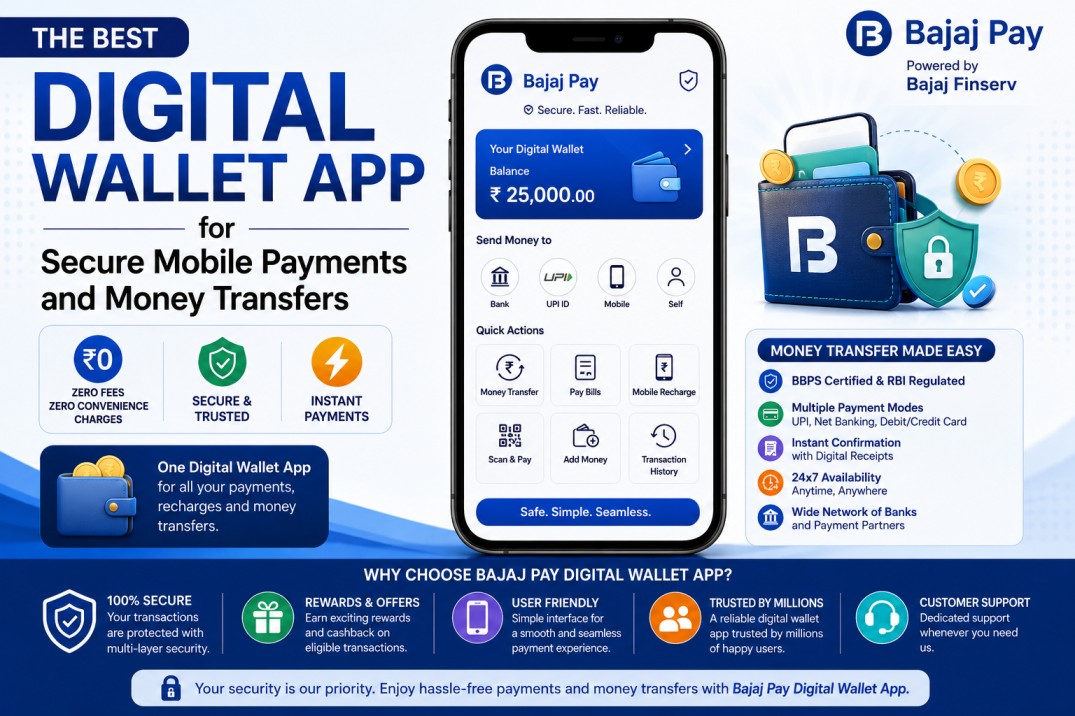
In today’s fast-paced world, having a reliable digital wallet app is essential for managing mobile payments and money transfers securely. Bajaj Pay, available on the Bajaj Finserv App and website, is a BBPS-enabled platform that allows users to complete transactions without incurring any fees or convenience charges. With Bajaj Pay, you can efficiently manage your payments and recharges, enhancing your financial experience while ensuring complete security.
What is money transfer and how does Bajaj Pay make it easier?
Money transfer is the process of sending money from one individual or entity to another, often using digital channels to facilitate quick and secure transactions. As the need for seamless and prompt financial transactions grows, Bajaj Pay emerges as an ideal choice for users looking to send or receive money conveniently. With the BBPS-enabled infrastructure, Bajaj Pay simplifies the money transfer process, allowing users to perform transactions swiftly without the worry of hidden fees.
Bajaj Pay streamlines money transfers by integrating various payment options and providing instant transaction confirmations. As a trusted digital wallet app, it helps users complete secure transactions with ease. With every transaction processed through the platform, users can trust that their money is secure, thanks to the strict regulatory standards in place. By eliminating convenience charges and ensuring a user-friendly interface on both the Bajaj Finserv App and Bajaj Pay website, this digital wallet app empowers users to focus on their financial needs without complications.

Features of money transfer on Bajaj Pay
- BBPS-certified and RBI-regulated secure payment platform
- Zero fees and zero convenience charges on all transactions
- Accessible via the Bajaj Finserv App and Bajaj Pay website
- Multiple payment modes including UPI, Net Banking, debit or credit card
- Instant payment confirmation with digital receipts
- Wide network of banks and payment partners
- Auto-pay option for recurring transfers
- 24×7 availability for uninterrupted access
Top 5 service providers for money transfer on Bajaj Pay
- ICICI Bank
- Category: Bank
- Geographic coverage: Nationwide
- Notable feature: Instant processing for money transfers
- HDFC Bank
- Category: Bank
- Geographic coverage: Nationwide
- Notable feature: Easy-to-schedule payments and transfers
- State Bank of India (SBI)
- Category: Bank
- Geographic coverage: Nationwide
- Notable feature: Large number of ATMs for easy cash withdrawals
- Axis Bank
- Category: Bank
- Geographic coverage: Nationwide
- Notable feature: Enhanced security features for money movement
- Paytm
- Category: Digital payment platform
- Geographic coverage: Nationwide
- Notable feature: Quick access to rewards and cashback offers
Things to keep in mind before transferring money
- Keep your account ID and registered mobile number ready for a smooth transaction process.
- Double-check the payment due dates to ensure timely transfers and avoid penalties.
- Verify the details of the recipient to prevent errors during the transaction.
- Consider using the auto-pay feature for regular money transfers to simplify your financial management.
- Check the Offers and Rewards section on Bajaj Pay before making a transfer to maximize your benefits.
- Ensure a stable internet connection throughout the transaction to avoid interruptions.
- Save digital receipts for future reference or resolution of any disputes.
Benefits of paying through Bajaj Pay
- Zero fees and charges: All payments, recharges, and transfers on Bajaj Pay are completely free with no hidden costs or convenience fees added at checkout. Enjoy hassle-free transactions without worrying about unexpected charges.
- Rewards and offers: Users can earn Bajaj Pay rewards on eligible money transfer transactions and take advantage of exclusive cashback deals and partner offers found in the Offers section.
- Secure and trusted platform: Bajaj Pay is BBPS-certified and backed by the financial integrity of Bajaj Finserv, ensuring that every transaction is protected with end-to-end encryption.
- One platform for all payments: Manage your bill payments, mobile recharges, money transfers, and more seamlessly from a single wallet app, eliminating the need to switch between multiple platforms.
- Instant confirmation: With every transaction, Bajaj Pay provides real-time confirmation along with a downloadable digital receipt, ensuring that you have a record for your future needs.
How to transfer money using the Bajaj Finserv App
- Step 1: Open the Bajaj Finserv App on your smartphone or visit the Bajaj Pay website on your browser.
- Step 2: Log in using your registered mobile number or create a new account if you are a first-time user.
- Step 3: Navigate to the Money Transfer section from the home screen.
- Step 4: Select your preferred bank or service provider from the available list.
- Step 5: Enter the required details such as your account number and the recipient’s information.
- Step 6: Verify the payment amount and select your preferred payment mode, such as UPI or Net Banking.
- Step 7: Confirm the transaction and save or share your digital receipt for future records.
Conclusion
Bajaj Pay offers an excellent digital wallet app experience for secure mobile payments and money transfers, characterized by zero fees, convenience, and a robust rewards ecosystem. Its user-friendly interface and secure platform allow individuals to conduct transactions with peace of mind. Experience the convenience of Bajaj Pay today by downloading the Bajaj Finserv App or visiting the Bajaj Pay website for all your financial needs. With a commitment to security and customer satisfaction, Bajaj Pay is set to transform your payment experience.