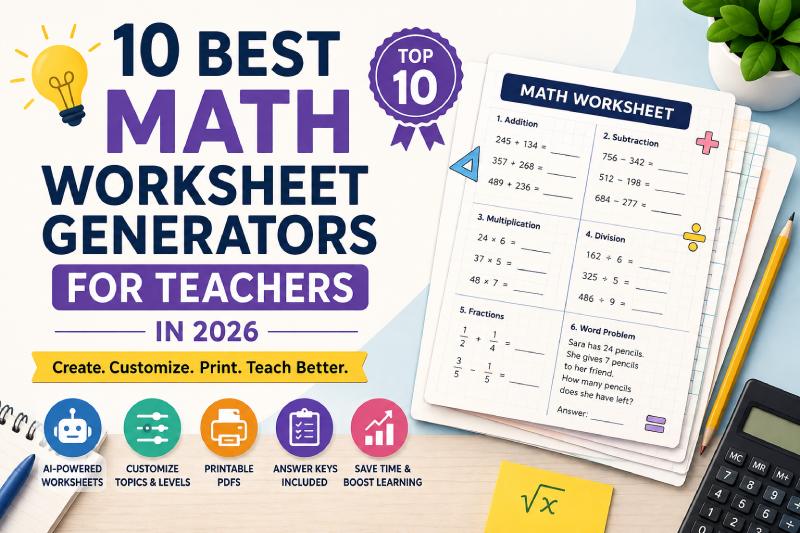
Creating good math practice materials sounds simple until you are preparing worksheets for several classes, multiple ability levels, and different topics every week. Teachers often need fresh questions for addition, fractions, multiplication, algebra, geometry, decimals, word problems, and revision activities—while still finding time for lesson planning, grading, and classroom support.
That is why math worksheet generators have become increasingly useful in 2026. Instead of manually typing every question and formatting every page, teachers can now use specialized tools to create printable practice activities, differentiate work, produce answer keys, or adapt worksheets for different student needs.
Among the available options, Brainator stands out because its AI math worksheet generator lets teachers describe the worksheet they need in plain English and generate customized K–12 math practice covering topics such as addition, subtraction, multiplication, division, fractions, decimals, percentages, algebra, and geometry. Brainator also produces printable PDFs and automatic answer keys.
However, not every teacher needs the same type of worksheet tool. Some educators want AI-powered customization, while others prefer traditional problem generators, curriculum-focused resources, visually designed worksheets, or tools that make differentiation easier.
For this 2026 comparison, the tools below were selected based on practical classroom usefulness, customization options, math coverage, printable output, ease of use, differentiation capabilities, and how quickly a teacher can move from an idea to a usable practice activity.
Quick Comparison of the Best Math Worksheet Generators
| Rank | Tool | Best For |
|---|---|---|
| 1 | Brainator | AI-generated custom math worksheets |
| 2 | Math-Aids.com | Traditional dynamic math practice |
| 3 | CommonCoreSheets | Highly customizable math worksheets |
| 4 | Education.com | Elementary math worksheets and activities |
| 5 | Canva | Visually attractive worksheet design |
| 6 | MagicSchool | AI-assisted teacher workflows |
| 7 | Diffit | Differentiated math resources |
| 8 | WorksheetWorks.com | Detailed rule-based customization |
| 9 | Helping With Math | Free topic-specific math generators |
| 10 | TeachPrintables | Quick browser-based printable worksheets |
1. Brainator — Best Overall Math Worksheet Generator for Teachers
Brainator takes the top position because it focuses on a problem teachers regularly face: creating a very specific worksheet without spending time searching through hundreds of pre-made resources.
Instead of selecting only from fixed templates, teachers can describe what they need.
For example, a teacher could request:
- 20 multiplication questions for Grade 3
- Fraction and decimal multiple-choice questions
- Addition and subtraction word problems for Grade 2
- Algebraic-expression practice for Grade 7
- Mixed operations for Grade 4
- Division problems using different question types
Brainator states that its math tool supports K–12 topics ranging from basic arithmetic through algebra and other advanced subjects. It can also mix formats such as drills, word problems, fill-in-the-blank questions, multiple choice, and true-or-false questions.
Key Features
- AI-generated math questions
- K–12 support
- Addition, subtraction, multiplication and division
- Fractions and decimals
- Percentages
- Algebra and geometry
- Different question types
- Automatic answer keys
- Printable PDF output
- Unique questions generated on demand
Another useful feature is natural-language input. Teachers do not necessarily need to work through complicated configuration panels. They can explain the type of practice activity they want and let the system create the worksheet.
This is particularly convenient when different groups within the same class need different levels of practice.
Best For
Brainator is a strong choice for teachers, tutors, homeschool families, and parents who want to create custom math worksheets quickly rather than relying only on existing worksheet libraries.
Our Verdict: ★★★★★
2. Math-Aids.com — Best for Traditional Dynamic Math Worksheets
Math-Aids.com has a different approach from AI-based tools. It focuses on dynamically generated math worksheets that teachers can configure around specific mathematical skills.
The platform says it covers more than 94 math topics and offers more than 1,200 worksheet variations, with resources spanning kindergarten through Grade 12. Its worksheets are dynamically generated, printable, and include answer keys.
Teachers can find topics such as:
- Addition
- Algebra
- Decimals
- Division
- Exponents
- Fractions
- Geometry
- Graphing
- Integers
- Measurement
- Multiplication
- Order of operations
- Percentages
- Probability
- Ratios
- Subtraction
- Word problems
Because questions are generated rather than taken from one static PDF, educators can create additional versions when students need more practice.
Why Teachers May Like It
Math-Aids is particularly useful for straightforward computational practice.
If you simply need a worksheet containing fraction problems, multiplication drills, algebra exercises, or integer calculations, it offers a large collection of configurable options.
Best For
Teachers who prefer traditional, structured math worksheet generators rather than AI prompting.
Our Verdict: ★★★★☆
3. CommonCoreSheets — Best for Customizable Practice
CommonCoreSheets is another useful option for educators who want detailed control over math practice activities.
The platform offers customizable worksheets where teachers can modify problem types, number ranges, layouts, instructions, worksheet orientation, answer-key options, and other settings.
For example, an addition and subtraction worksheet can be customized by:
- Number range
- Problem type
- Number of problems
- Worksheet title
- Instructions
- Font size
- Page orientation
- Answer-key settings
The site also includes options for online learning, flashcards, and downloadable activities depending on the worksheet.
Why It Stands Out
The level of control is the main advantage.
Teachers who know exactly what type of problem they want can fine-tune the generated worksheet rather than accepting a fixed selection of questions.
Best For
Educators who want detailed customization and traditional math practice worksheets.
Our Verdict: ★★★★☆
4. Education.com — Best for Elementary Math Practice
Education.com combines a large educational-resource library with worksheet-generation tools.
Its math worksheet generator includes options for activities such as:
- Addition
- Subtraction
- Multiplication
- Division
- Fact families
- Number lines
- Graph paper
Teachers can adjust factors such as difficulty, number of digits, number of questions, worksheet orientation, regrouping, and visual themes depending on the selected generator.
A particularly useful feature is the ability to regenerate or scramble problems while keeping similar settings.
That can help teachers create multiple practice versions without rebuilding the entire worksheet.
Where Education.com Works Well
Education.com can be especially convenient for elementary classrooms because teachers can move between worksheet generation and a broader library of learning resources.
However, some worksheet creation and download functionality is subject to account or membership limitations.
Best For
Elementary teachers and parents who want math generators alongside a broader educational resource library.
Our Verdict: ★★★★☆
5. Canva — Best for Beautiful Math Worksheets
Canva is not primarily a mathematics problem generator, but it deserves a place on this list because worksheet presentation matters.
Canva provides ready-made worksheet templates and a drag-and-drop design editor that teachers can customize with text, shapes, graphics, images, tables, and other visual elements. Teachers can then print or share their finished designs.
This makes it useful when the goal is not only to generate questions but also to create visually engaging classroom materials.
For example, teachers might use Canva for:
- Colorful elementary math worksheets
- Geometry activities
- Number charts
- Math puzzles
- Themed revision sheets
- Classroom challenge worksheets
- Visual fraction activities
Canva Education is also available free to eligible K–12 teachers and includes education templates and premium design features.
Main Limitation
Canva is strongest for design and layout, whereas dedicated math generators are better suited to producing large quantities of mathematical problems automatically.
Best For
Teachers who prioritize worksheet appearance, visual engagement, and design flexibility.
Our Verdict: ★★★★☆
6. MagicSchool — Best for Teachers Who Want More Than Worksheets
MagicSchool is an AI platform built around a much broader teacher workflow.
Its Worksheet Generator can create worksheets from a topic or text and supports question types such as multiple choice, fill-in-the-blank, and open-ended questions. Teachers can also tailor resources by grade level and standards.
Math worksheets are therefore only one part of the platform.
MagicSchool also provides other teacher-focused tools for activities such as quizzes, presentations, rubrics, planning, and classroom materials.
Why Consider MagicSchool?
A teacher already using AI for several parts of lesson preparation may prefer keeping these tasks within one ecosystem.
Instead of choosing a dedicated platform only for math worksheets, they can move between multiple teaching tools.
Best For
Teachers looking for an all-in-one AI teaching assistant that also creates worksheets.
Our Verdict: ★★★★☆
7. Diffit — Best for Differentiated Math Practice
Diffit is particularly interesting for classrooms where students are working at different readiness levels.
The platform allows teachers to start from a topic, prompt, PDF, text, link, image, or existing learning material and turn it into classroom-ready resources. Teachers can adjust elements such as difficulty, standards, scaffolds, language, and other instructional supports.
Diffit has also expanded into math resources, including problem sets, practice worksheets, and word problems.
For example, a teacher could take an existing practice sheet and create additional versions for students who need:
- More support
- Extra scaffolding
- Easier problems
- More advanced practice
- Additional review
- Alternative question types
Biggest Advantage
Diffit is less about producing endless arithmetic drills and more about adapting instructional material to different learners.
Best For
Mixed-ability classrooms where differentiation is a bigger priority than simple problem generation.
Our Verdict: ★★★★☆
8. WorksheetWorks.com — Best for Detailed Rule-Based Worksheet Creation
WorksheetWorks.com has been built around customizable worksheet generation rather than collections of static printables.
According to the platform, users can control worksheet characteristics such as problem difficulty, problem types, and page appearance depending on the generator being used. The resulting worksheets are created specifically from those settings.
This approach can appeal to teachers who prefer predictable, rule-based generation.
Rather than asking AI to interpret a prompt, educators configure the parameters they want.
Why Teachers May Prefer It
AI is useful when flexibility is important, but sometimes a teacher simply needs:
“Give me 25 questions following exactly these mathematical rules.”
Traditional algorithm-based generators are very effective in those situations.
Best For
Teachers who want precise control over conventional worksheet generation.
Our Verdict: ★★★★☆
9. Helping With Math — Best for Free Topic-Specific Generators
Helping With Math offers a growing collection of dedicated math worksheet generators, including tools added for the 2026 school term.
Available generator topics include:
- Times tables
- Telling time
- Counting money
- Addition and subtraction
- Number bonds
- Equivalent fractions
- Missing-number equations
- Rounding
- Fractions
- Area and perimeter
- Factors and multiples
- Ten frames
Many of these generators allow teachers to control specific settings and produce printable activities with optional answer keys.
Why It Makes the List
Helping With Math is useful when teachers need a focused generator for a particular elementary or middle-school skill rather than a general AI system.
Best For
Teachers and homeschool families looking for free, focused math practice generators.
Our Verdict: ★★★★☆
10. TeachPrintables — Best for Quick Printable Worksheet Creation
TeachPrintables takes a lightweight, browser-based approach to classroom resource creation.
Its tools allow teachers to select information such as grade, subject, topic, question count, layout, and answer-key preferences, review a preview, and then print or download the result. It includes a dedicated AI math worksheet option alongside other printable teaching tools.
The platform is useful for educators who do not need a large teaching ecosystem and simply want to move quickly from an idea to a printable activity.
Best For
Teachers wanting a simple browser-based workflow for generating and printing classroom practice.
Our Verdict: ★★★½☆
What Makes a Good Math Worksheet Generator?
The best tool is not necessarily the one with the most features.
Teachers should consider how the generator fits their normal classroom workflow.
1. Topic Coverage
A useful math generator should cover the topics you teach regularly.
For elementary classrooms, that might include:
- Number sense
- Addition
- Subtraction
- Multiplication
- Division
- Fractions
- Time
- Money
Middle and secondary teachers may also require:
- Decimals
- Percentages
- Ratios
- Algebra
- Geometry
- Equations
- Graphing
2. Difficulty Control
Students in one class rarely learn at exactly the same pace.
Being able to adjust difficulty can make a worksheet generator significantly more useful.
3. Answer Keys
Automatically generated answer keys reduce the amount of preparation required after creating the worksheet.
They can also help tutors, homeschool parents, and students using worksheets for independent revision.
4. Printable Formatting
A generator should ideally produce worksheets that require little or no additional formatting before printing.
5. Question Variety
Repeating 30 nearly identical calculations can help with fluency, but teachers may also want:
- Word problems
- Multiple choice
- Fill-in-the-blank
- True or false
- Missing numbers
- Mixed practice
Different question formats encourage students to approach mathematical concepts in different ways.
AI Math Worksheet Generators vs Traditional Generators
Both approaches have advantages.
AI Generators
AI-powered systems are generally better when teachers want flexibility.
A teacher can describe a highly specific requirement such as:
“Create a Grade 5 worksheet with 15 fraction questions, including five word problems and five multiple-choice questions, ranging from easy to challenging.”
That is difficult to achieve with many traditional generators.
Traditional Generators
Traditional math worksheet generators can be better for highly structured numerical practice.
For example, a teacher may simply need 50 multiplication facts involving the 6, 7, and 8 times tables.
A configurable rule-based tool can handle this efficiently.
For many teachers, the best workflow may involve using both approaches depending on the lesson.
Which Math Worksheet Generator Should Teachers Choose in 2026?
There is no single tool that will suit every classroom.
If your priority is creating highly customized math practice from a simple description, Brainator is one of the strongest options in this comparison.
If you want traditional drill worksheets across a very large range of math topics, Math-Aids.com is worth considering.
CommonCoreSheets works well when detailed worksheet configuration matters.
Education.com is useful for younger students and educators who also want access to a larger learning-resource ecosystem.
Canva is the strongest choice when visual design is the main priority.
MagicSchool makes sense for teachers who want worksheet generation as part of a broader AI teaching toolkit.
Diffit is particularly useful when differentiation and scaffolding are central to the classroom.
WorksheetWorks.com appeals to educators who prefer structured, rule-based control.
Helping With Math offers a practical collection of free skill-specific generators.
TeachPrintables provides a straightforward option for quickly generating browser-based classroom resources.
Final Thoughts
Math worksheet generators have moved far beyond simple pages of random arithmetic problems.
In 2026, teachers can choose between AI-powered systems, traditional dynamic generators, differentiation tools, design platforms, and large educational-resource libraries. The right choice depends on whether the priority is customization, speed, visual design, differentiation, curriculum practice, or straightforward repetition.
Whichever platform you choose, the most effective worksheet is not necessarily the one with the most questions. It is the one that gives students focused practice at the right difficulty level and helps teachers spend less time preparing materials and more time supporting learning.