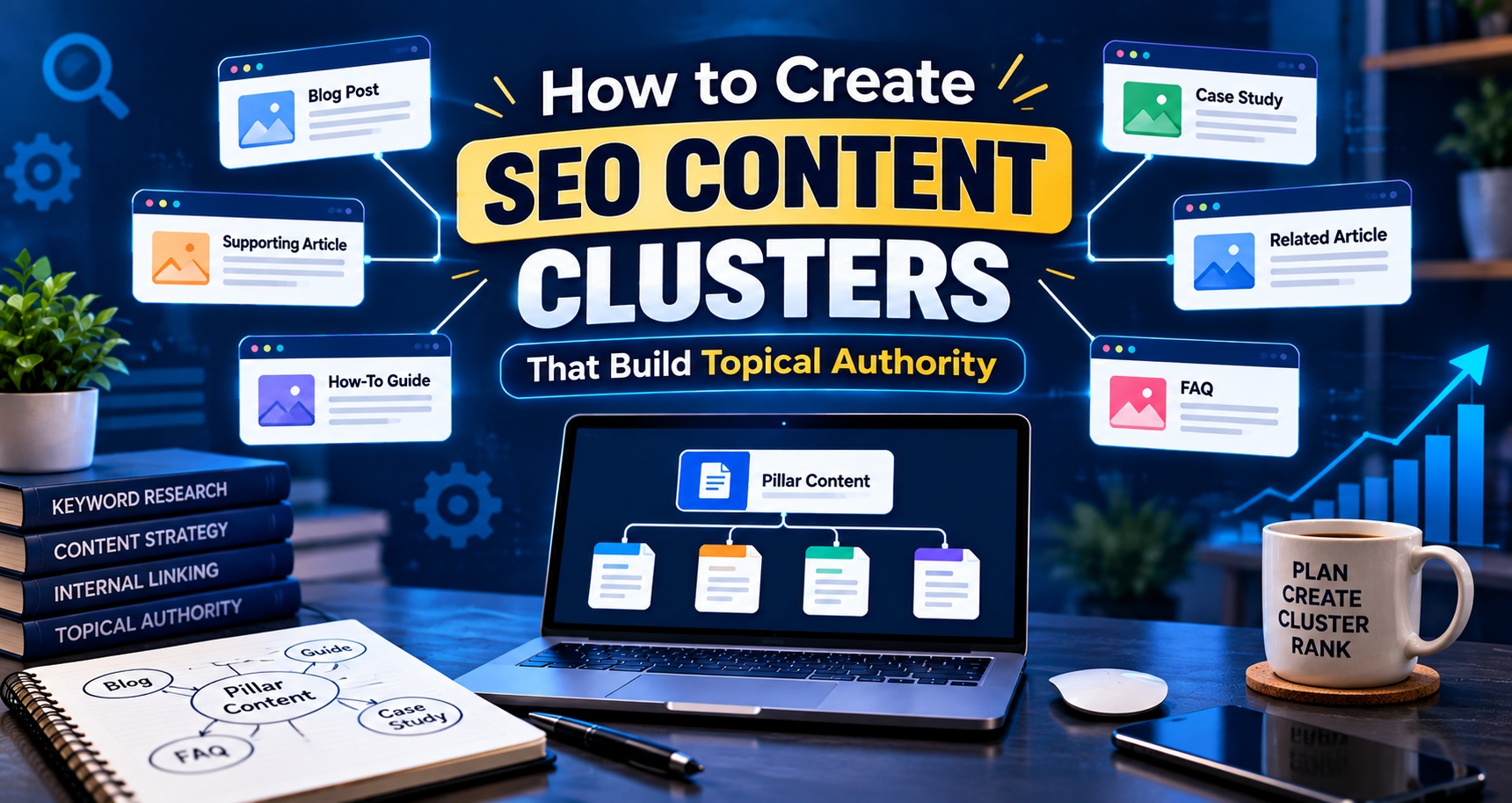
Creating one blog post around a keyword is no longer enough if you want your website to build strong topical relevance.
You may publish a detailed article targeting “digital marketing,” for example, but what happens next?
You could create related content about SEO, social media marketing, content marketing, Google Ads, email marketing, analytics, keyword research, and other connected topics.

When these pages are planned properly and linked together, they form a content cluster.
This approach helps search engines understand what your website covers and how different pages relate to each other.
It can also make your website more useful for readers. Someone reading about keyword research can quickly move to your guide on search intent, content optimization, or SEO tools.
So, how do you actually build an SEO content cluster?
Let’s break it down.
What Is an SEO Content Cluster?
An SEO content cluster is a group of related pages built around one broad topic.
Usually, the structure has three parts:
- One pillar page
- Several supporting pages
- Internal links connecting the pages
For example, imagine your main topic is “Digital Marketing.”
Your pillar page could cover:
Digital Marketing: A Complete Guide
Supporting articles could cover:
- SEO basics
- Keyword research
- Content marketing
- Social media marketing
- Email marketing
- Google Ads
- Local SEO
- Technical SEO
- Conversion rate optimization
- Digital marketing analytics
Each supporting article explores one specific part of the broader subject.
The pages then link to each other where relevant.
This creates a clear topic structure.
What Is a Pillar Page?
A pillar page is the main resource for a broad topic.
It should give readers a useful overview without trying to explain every small detail.
For example, a page titled “Complete Guide to SEO” might explain:
- What SEO means
- How search engines work
- Keyword research
- On-page SEO
- Technical SEO
- Link building
- Local SEO
- Content strategy
- SEO measurement
Each section can then link to a more detailed supporting article.
The pillar page acts as the central resource.
The supporting pages provide depth.
What Are Supporting Content Pages?
Supporting pages focus on narrower questions related to the main topic.
Suppose your pillar page targets “SEO.”
You could create supporting articles such as:
- How to Do Keyword Research
- What Is Search Intent?
- How to Improve Title Tags
- What Is Technical SEO?
- How Does Internal Linking Work?
- How to Perform an SEO Audit
- What Is Local SEO?
- How to Build an SEO Content Strategy
These pages shouldn’t exist just because you found related keywords.
Each page should answer a real search query or cover a meaningful subtopic.
That distinction matters.
Why Content Clusters Matter for SEO
Search engines need to understand what your website is about.
A single article gives limited context.
A collection of useful pages covering related subjects gives much more context.
For example, suppose a website has one article about “SEO.”
Another website has:
- A detailed SEO guide
- Keyword research guide
- Search intent guide
- Technical SEO guide
- Internal linking guide
- Local SEO guide
- SEO audit guide
- Content optimization guide
The second website has created much broader coverage around the subject.
That does not mean it will automatically rank higher.
Google uses many signals to determine search results, including relevance, content quality, links, and other factors.
But strong topical coverage can help you create a more organized and useful website.
How to Build an SEO Content Cluster Step by Step
Creating content clusters becomes much easier when you follow a clear process.
Step 1: Choose One Broad Topic
Start with a subject that matters to your website and audience.
For example, an education website could choose:
“Digital Marketing”
A healthcare website might choose:
“PCOS Nutrition”
An education institute offering a Digital Marketing Course in Nagpur might choose:
“Digital Marketing Career”
The topic should be broad enough to support multiple useful subtopics.
Don’t choose something so broad that your cluster becomes impossible to manage.
For example, “Marketing” may be too wide for a small website.
“Digital Marketing for Beginners” may give you a more focused starting point.
Step 2: Understand Your Audience
Before researching keywords, understand what your audience wants to learn.
Ask questions such as:
- What problems are they trying to solve?
- What do beginners struggle with?
- What questions do students ask?
- What information do they need before making a decision?
- What topics do they search for after reading the first article?
For an institute offering a Digital Marketing Course in Nagpur, the audience may include:
- College students
- Fresh graduates
- Working professionals
- Business owners
- Freelancers
- Career changers
Each group can have different questions.
A student may search for “digital marketing career options.”
A business owner may search for “how to get leads through Google Ads.”
The content cluster should reflect these different needs where they fit the site’s purpose.
Step 3: Do Keyword Research
Now start collecting keywords.
Use tools such as:
- Google Keyword Planner
- Google Search Console
- Ahrefs
- Semrush
- Google autocomplete
- People Also Ask
- Related searches
Don’t only look at search volume.
Look at the relationship between keywords.
For example:
Main topic:
SEO
Related topics:
- SEO meaning
- How SEO works
- Keyword research
- On-page SEO
- Technical SEO
- Off-page SEO
- Local SEO
- SEO audit
- Internal linking
- SEO tools
These keywords can become individual pages if they represent useful and distinct topics.
Step 4: Group Keywords by Search Intent
Keyword grouping is one of the most useful parts of content clustering.
Two keywords may look different but have the same search intent.
For example:
“SEO keyword research”
and
“how to find keywords for SEO”
may be answered by the same page.
Creating separate pages for both may not add much value.
On the other hand:
“What is keyword research?”
and
“best keyword research tools”
have different needs.
You could potentially create separate pages.
Before creating a new URL, ask:
“Would the reader expect a separate page for this question?”
If the answer is no, consider combining the keywords into one stronger article.
Step 5: Map Your Pillar and Supporting Pages
Once you’ve grouped your keywords, create a content map.
For example:
Pillar Page
Digital Marketing Guide for Beginners
Cluster 1: SEO
- What Is SEO?
- Keyword Research Guide
- On-Page SEO Guide
- Technical SEO Basics
- Local SEO Guide
Cluster 2: Content Marketing
- What Is Content Marketing?
- How to Create a Content Strategy
- Blog Writing for SEO
- Content Promotion Methods
Cluster 3: Social Media Marketing
- Social Media Marketing Basics
- Instagram Marketing
- Facebook Marketing
- Social Media Content Strategy
Cluster 4: Paid Advertising
- Google Ads Basics
- Search Ads
- Display Ads
- Remarketing
Now your content strategy becomes much easier to manage.
Step 6: Create Useful Pillar Content
Your pillar page should not simply be a long article stuffed with keywords.
It should help someone understand the subject.
Include:
- Clear definitions
- Important subtopics
- Practical examples
- Relevant statistics
- Expert insights
- Helpful links
- Original explanations
- References where appropriate
Think about the reader.
If someone has never heard of the topic, could they understand the basics after reading your pillar page?
If yes, you’re moving in the right direction.
Step 7: Write Supporting Articles With Real Depth
Supporting pages should answer specific questions properly.
Don’t create 30 articles that repeat the same information.
For example, if you publish:
“Keyword Research Guide”
you don’t need five other articles explaining the same beginner-level concept.
Instead, build depth around related needs:
- How to Find Long-Tail Keywords
- How to Use Search Intent in Keyword Research
- How to Do Keyword Research for Local SEO
- How to Find Keywords Using Google Search Console
Each page adds something different.
That is what makes a content cluster useful.
Step 8: Build Internal Links Between Related Pages
Internal linking is what connects your cluster.
Suppose you have an article about “Technical SEO.”
Inside that article, you may naturally link to:
- SEO audit guide
- Page speed guide
- Crawlability guide
- Internal linking guide
Your pillar page can link to the technical SEO article.
The technical SEO article can link back to the pillar page where relevant.
This creates a connected structure.
Use Descriptive Anchor Text
Instead of:
“Click here”
use:
“technical SEO checklist”
or:
“learn how keyword research works”
The anchor text should help readers understand what they will find after clicking.
Don’t force exact-match keywords into every link.
Natural language is easier to read.
Step 9: Add E-E-A-T to Your Content
E-E-A-T stands for:
- Experience
- Expertise
- Authoritativeness
- Trustworthiness
It is especially relevant when you’re creating content where readers may rely on the information to make important decisions.
Google describes E-E-A-T as part of its approach to assessing content quality. Experience was added to the framework to recognize the value of first-hand experience.
Experience
Show practical knowledge.
Instead of simply saying:
“Internal links are useful.”
Explain how you have used internal linking in a real project.
For example:
“We found that several service pages had no internal links from related blog posts. After creating relevant connections, those pages became easier for users to discover.”
Only use examples that reflect genuine experience.
Expertise
Use accurate information and demonstrate subject knowledge.
For a digital marketing article, you could include:
- Search intent examples
- Keyword research methods
- Technical SEO considerations
- Content structure
- Internal linking principles
If the topic requires professional expertise, identify an appropriate expert author or reviewer.
Authoritativeness
Make your sources clear.
You can strengthen content by referencing:
- Google Search Central
- Government websites
- Recognized industry organizations
- Research papers
- Reputable industry publications
Don’t add references just to make an article look authoritative.
Use sources that actually support your claims.
Trustworthiness
Be transparent.
Add:
- Author information
- Relevant credentials
- Updated dates where appropriate
- Sources
- Contact information
- Clear business information
For educational websites, explain who created the course or content.
If your website promotes a Digital Marketing Course in Nagpur, readers should be able to understand who is teaching, what is covered, and what experience the instructors have.
Step 10: Look for Content Gaps
Once your cluster is live, don’t stop.
Look at what your audience is still searching for.
Google Search Console can show queries that generate impressions but have weak rankings or low click-through rates.
For example, your article may rank for:
“SEO content strategy”
but also receive impressions for:
“how to create SEO content clusters”
That second query may suggest a new supporting article.
You can also examine:
- Competitor content
- People Also Ask questions
- Related searches
- Search suggestions
- Comments and questions from your audience
Content gaps often reveal your next useful article.
How Many Articles Should a Content Cluster Have?
There is no fixed number.
You don’t need exactly 10, 20, or 50 articles.
Start with the topics that genuinely matter.
A small website might begin with:
- 1 pillar page
- 5 supporting articles
A larger website may eventually have dozens of pages around the same subject.
Quality and relevance matter more than hitting an arbitrary number.
Five useful articles can be more valuable than 30 thin pages.
Common Content Cluster Mistakes
Creating Articles Only for Keywords
A keyword list isn’t a content strategy.
Every page should have a purpose.
Targeting the Same Intent With Multiple Pages
This can create unnecessary overlap.
Before publishing a new article, check whether you already have a page that answers the same question.
Ignoring Internal Links
Even good content can become difficult to discover if pages are isolated.
Review internal links whenever you publish a new article.
Writing Thin Supporting Content
A supporting page should provide useful information.
Don’t create a 500-word article simply because a keyword has search volume.
Overusing Exact-Match Keywords
Search engines don’t need the same keyword repeated throughout every paragraph.
Write naturally and cover the topic properly.
Forgetting Older Content
Your cluster should evolve.
Update older articles when:
- Information changes
- New research becomes available
- Search intent changes
- A better internal link opportunity appears
- Your business adds a new relevant service
Example of a Content Cluster for a Digital Marketing Institute
Let’s say an institute wants to build topical authority around digital marketing education.
The pillar page could be:
Digital Marketing: Complete Guide for Beginners
Supporting content could include:
- What Is Digital Marketing?
- SEO vs PPC
- How Keyword Research Works
- What Is Content Marketing?
- Social Media Marketing Basics
- Google Ads for Beginners
- Email Marketing Basics
- How to Build a Digital Marketing Career
- Digital Marketing Interview Questions
- How to Choose a Digital Marketing Course in Nagpur
The cluster can support informational searches while also helping readers who are researching courses and careers.
The commercial pages should still provide clear information about the actual course rather than turning every educational article into an advertisement.
How to Measure Whether Your Content Cluster Is Working
Don’t measure success only by ranking one keyword.
Look at the bigger picture.
Track:
- Organic clicks
- Organic impressions
- Average position
- Number of ranking keywords
- Organic traffic to the cluster
- Internal link clicks
- Engagement metrics
- Leads or enquiries where relevant
Google Search Console can help you understand which queries bring impressions and clicks.
Analytics tools can help you understand what visitors do after landing on your site.
For a training institute, you might also track whether visitors move from informational articles to course pages or enquiry forms.
How Often Should You Publish Cluster Content?
There is no perfect publishing schedule.
A practical approach is to focus on consistency.
You could publish:
- One detailed pillar page
- One or two supporting articles each week
Or you could publish fewer articles while spending more time improving each one.
The right schedule depends on your team, resources, and topic.
Don’t publish five weak articles just to meet a weekly target.
A Simple Content Cluster Workflow
You can use this process for almost any topic:
- Choose a broad topic.
- Understand the audience.
- Research related searches.
- Group keywords by intent.
- Choose the pillar page.
- Map supporting topics.
- Create useful content.
- Add relevant internal links.
- Include first-hand experience and trustworthy sources.
- Publish and monitor performance.
- Find content gaps.
- Update and expand the cluster.
This turns content creation into a structured process instead of publishing random blog posts whenever someone finds a keyword.
FAQs About SEO Content Clusters
What is an SEO content cluster?
An SEO content cluster is a group of related pages covering a broad topic and its subtopics. A central pillar page connects with detailed supporting pages through relevant internal links.
Do content clusters improve Google rankings?
Content clusters can help organize a website and provide broader coverage of a subject. They do not guarantee rankings. Search performance also depends on content quality, relevance, links, technical factors, competition, and many other signals.
How many articles should be in a content cluster?
There is no fixed number. Build as many pages as the topic genuinely requires. Start with a strong pillar page and several useful supporting articles.
What is the difference between a pillar page and a cluster page?
A pillar page covers a broad subject at a high level. A cluster page focuses on one specific subtopic in greater detail.
Are content clusters still useful for SEO?
Yes. Organizing related content can help users navigate a website and can make relationships between topics clearer. The content still needs to satisfy the searcher’s needs.
Final Thoughts
SEO content clusters are really about organizing useful information.
Instead of publishing unrelated articles, think about how your pages fit together.
Start with one broad subject.
Break it into meaningful subtopics.
Create genuinely useful supporting pages.
Connect them with relevant internal links.
Then keep improving the cluster based on what your audience searches for and what your data shows.
If you’re building a website for a Digital Marketing Course in Nagpur, for example, you don’t have to write dozens of random SEO articles.
You can build one strong topic area around digital marketing education and gradually cover the questions students, professionals, freelancers, and business owners actually ask.

That approach makes your content easier to navigate, easier to maintain, and much more useful to the people you want to reach.